
Corporate meetings carry a certain type of pressure that exists long before anyone steps to the front of the room. You need to get everything just right so guests can hear clearly and see the screen. While there’s a lot that goes into this, using the right AV equipment can help the meeting feel controlled and easy to follow.
The right setup also keeps attention where it belongs. Guests focus on the speaker instead of a dim display or a buzzing microphone. For companies planning client presentations or internal seminars, having access to professional AV equipment will be the key to a flawless corporate meeting.
Why AV Matters Before the First Slide
Almost all corporate meetings depend on clear communication. People need to hear the message and follow the visuals without technical distractions. When AV works well, attendees never think about the equipment. They simply stay with the program.
When AV fails, the room notices it almost immediately. Either a microphone drops out or a projector washes out the main slide. Those moments break momentum and make the event team look unprofessional. The right gear lowers that risk because it’s designed for live rooms and real audience sizes.
Audio Keeps the Room Connected

Clear sound matters more than most planners expect. A small speaker may seem fine during setup, then struggle once the room fills with people. In a larger venue, weak audio can make the back rows feel left out.
Professional speaker systems evenly distribute voices throughout the space. They help presenters sound confident without forcing them to raise their voices. Good audio also supports Q&A sessions or panel formats without sharp volume changes.
Outside ot that, microphone choice affects the flow of the meeting. A handheld mic works well for audience questions, while a lavalier gives a presenter more freedom to move. You should also consider a podium microphone, which can be suitable for formal remarks when the speaker stays in one spot. No matter what you choose, the right option will keep the format natural.
Visuals Should Make Content Easier
Many corporate meetings rely on slide decks and product demos. Visual equipment should make that content easy to read from every seat. A screen that’s too small leaves guests squinting, while a weak projector can blur important details.
Projectors work best when they match the room size and lighting conditions. If you can’t find a solid option for your needs, LED walls can create a sharper impact, which is ideal for larger audiences or presentations that depend heavily on visuals. The goal isn’t always the biggest display—it’s the clearest view.
Planning also needs to account for the source of the content. A laptop source or live feed may need different connections. Testing those inputs before guests arrive helps avoid the familiar scramble at the front of the room.
Lighting Makes the Room Feel Prepared
Lighting does more than brighten a stage. It directs attention and helps speakers appear more natural. A dim room can give off a low-energy feeling, but harsh overhead light can make the space look flat.
For corporate events, lighting should support the agenda without drawing too much attention to itself. A simple stage wash can help presenters stand out from the background. Accent lighting can make a reception area feel more intentional before the main program begins.
Lighting also matters for hybrid meetings. Cameras need enough light to capture faces clearly. When the room looks balanced in person and on screen, remote attendees get a more professional experience.
On-Site Support Protects the Schedule
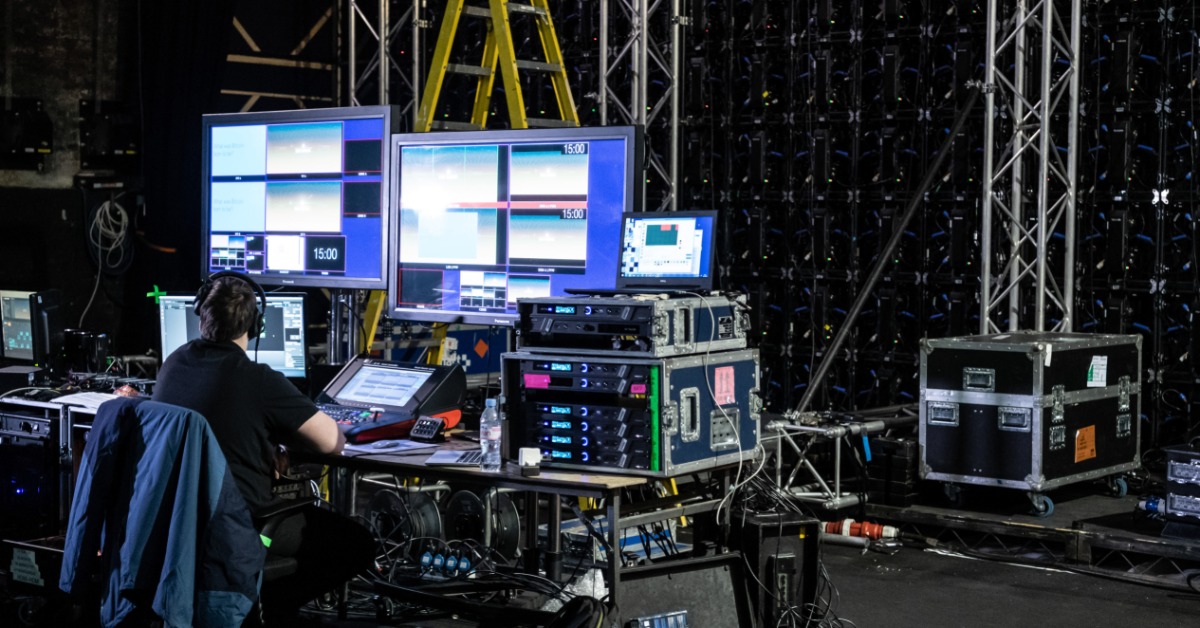
Even strong equipment needs the right setup. Some corporate event rental services include technicians who know how to set up gear and respond during the program. That support can turn many potential disruptions into quick adjustments.
A technician can adjust microphone levels as speakers change, adjust slides, and manage video playback without slowing the flow of the presentation. Having a dedicated technician also means you won’t have to split attention between guests and equipment.
Best of all, on-site support gives presenters more confidence. They can focus on the message rather than worry about whether the mic is live. That calm matters in rooms with clients or executives.
Match Equipment to the Venue
No two corporate spaces behave the same way. A hotel ballroom won’t need the same setup as an office conference room. Ceiling height and seating layout both affect how equipment performs.
A professional rental team can recommend gear based on the room rather than a generic package. They may suggest extra speakers for a wide seating plan or a brighter projector for a room with daytime windows. They can also plan cable paths that keep walkways cleaner.
Venue rules matter too. Some spaces limit where equipment can go or when setup can happen. Coordinating those details early helps the AV crew build a plan that fits the room and the schedule.
Plan AV Around the Agenda
The best AV plan starts with the run of show. A short leadership address may need a simple microphone setup and a display for slides, whereas a full-day conference will likely require breakout rooms and support for remote guests.
Planners should share the agenda before equipment decisions get locked in. That gives the AV team time to plan transitions and speaker needs. If a panel follows a keynote, the setup should allow that shift without creating a long pause.
Rehearsal time beforehand helps too. Even something as simple as a brief walk-through can reveal missing adapters or untested videos. The earlier those details surface, the easier they are to fix.
Build Confidence for Speakers and Guests
Guests may not know which projector model is in the room or how the microphones are routed, but they do notice whether the meeting feels easy to follow. Clear audio and readable visuals create that feeling.
The same applies to speakers. When the room is prepared, they step into the program with fewer distractions. They can move through their remarks naturally and trust that the technical side will support the moment.
Renting Keeps AV Practical
Buying professional AV equipment rarely makes sense for teams that host events occasionally. Technology changes fast, while setup still requires trained hands. Renting professional AV equipment for flawless corporate events gives planners access to the right equipment for the specific event without committing to hardware that may sit unused.
Rental also makes scaling easier. A small training session may need a compact sound system and one projector, while a larger annual meeting may need a bigger screen and more production support. With rentals, the setup can more easily adjust as the event changes.
For companies planning local meetings, working with a provider who offers corporate event AV rentals in your area can simplify delivery and setup planning. It also gives the event team a practical resource when venue questions come up, especially when the space has specific requirements. Instead of forcing a one-size setup, rentals let planners choose equipment that fits the meeting format.